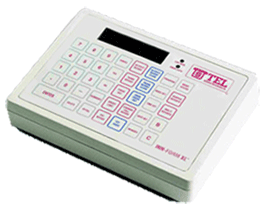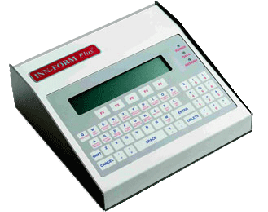
Document #1011 RE-PROGRAMMING FROM YOUR PROGRAMS 10, 20 & 32 (Note: Management Access Security will be needed for all of the procedures in this document. To place the call accounting in Management Access mode press the MANAGEMENT ACCESS Key followed by the code number) PROGRAM #10 looks similar to this: copyright, TEL electronics, inc. 1994-1996 #037056 01/12/98 Release 15.5 INN-FORM XL with 1887 call records, 10/27 at 12:17PM Wed Mode 0, Options: Print Audit Trail Ram Setup 1 2 3 4 5 6 7 8 Local Oper. Loc Inf St Inf U.S. Inf 1-(8xx) 1-(900) Incom 1: Fixed Rates: 0.00 0.00 0.60 0.60 0.75 0.00 0.50 0.00 Local Oper. Info. 1-(900) Intern. Other (8xx) 2: Grace Period: 60 30 20 20 75 60 0 Rate: 0 Nearby In-State In-U.S. Intern. WATS Special 3: Cost % adjust: 0.00 0.00 0.00 0.00 0.00 0.00 4: Mark-up%: 00 40 40 40 00 0 5: Surcharge: 0.00 1.50 1.55 2.55 0.00 0.00 6: Print No Charge Calls: No 7: Print Audit Trail: Yes 8: Store No Charge Calls: No 9: Store Administrative Calls: No 2 0 0 0 1 Before programming, you must be in Management Access. To get into Management Access, press the Management Access key, put in your Management Access code,and then press the Enter key. To begin programming, press the Program key. The display should read "Program #". (When you want to get out of the Programming mode, press the Enter key and then the Management Access key. This will take you back to the time & date display). To re-program the information back into Program 10, first note that then umbers down the left (1-9 or 1-6 & 9) of your Program 10 represent the program number you will use to change the information to the right. The numbers 1-8 across the top of your Program 10 represent the number of the item number in Programs 1-5 you will be changing. For example, if you want to change the Fixed Rate of "Oper." to 50 cents, press 1 Enter 2 Enter .50 Enter. To change the Mark-up% of "In-U.S." to 50%, press 4 Enter 3 Enter 30 Enter To change Programs 6-9, press the program number, then the "Yes" or "No" key. For instance, if you want to change Program 6 "Print NoCharge Calls" to a "Yes," press Program 6 Enter Yes (no Enter Key needed after Yes). Ignore the numbers below Program 9. After making all your changes, verify by running a Program 10. Press 10 Enter PROGRAM #20 looks similar to this: A.C. 0 -> 0 [Program 22] 110 -> -110 [Program 21] 0=801 1=208 2=303 3=719 4=307 5=505 6=602 7=702 8=503 9=406 10=213 11=818 12=970 13=435 14=430 15=313 16=756 17=502 18=602 20=913 855 -> 792 [Program 23] 7 -> 9 [Program 24] Lines/Page: 11, Lines to Tear Off: 5, Baud Factor: 85, AM/PM: Yes Print Mask: 0, Clear Mask: 0, Master Mask: 0, User Mask: 20067 The "[Program #]" (which you will not actually see on the Program 20)indicates which Program number is used to make changes to the values at the left of the "[Program #]" indicator. "Lines/Page, Lines to Tear Off, Baud Factor, and AM/PM" are programmed using Program 26. The "Print Mask and Clear Mask" are programmed using Program 28. The "Master Mask and User Mask"are programmed using Program 29. After making changes, run a Program 20 to verify the new values. If you make changes in Program 26, you must reset the unit by pressing the"$" in the center of the telephone logo, just left of the "TEL electronics"logo in the top right corner. PROGRAM #32 looks similar to this: SMDR Settings 0 2 15 2 18 2 21 0 0 21 34 4 24 4 62 0 0 0 0 0 0 0 0 0 0 4 20 0 48 47 58 48 0 0 0 0 0 1 0 85 9 0 62 24 0 1 -1 9 12345678901234567890123456789012345678901234567890123456789012345678901234567890 All SMDR Setting changes are done using Program 33. The top row of numbers from left to right represent the values of SMDR #s 1-16. The second row represents the values of SMDR #s 17-32. The third row represents the values of SMDR #s 33-48. Do not change the values in SMDR #s 40-42. For example, if you wanted to change the value of SMDR # 10 to a value of 20(presently a value of 21 in the example above), get into Program 33 (display will read "SMDR #"), press 10 Enter 20 Enter (the display will read "SMDR #"again). You can continue to make changes to various SMDR values in the same way until you have entered all your new SMDR values. After making all your changes, to back out of programming, press Enter (display will read "Program #"). Press the Enter key again then press the Management Access key. (Your display should be back to the time and date). When you are completely finished making all your changes in Program 33, you must reset the unit by pressing the "$" in the center of the telephone logo,just left of the "TEL electronics" logo in the top right corner. To verify your changes, go back into Management Access and run a Program 32.