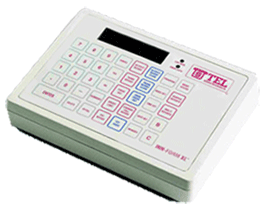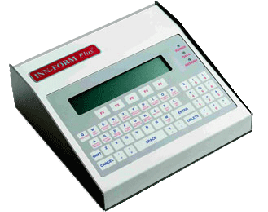
DOCUMENT #2070 PROBLEM: Is it possible to put a credit limit on a guest extension with an INN-FORM/PLUS system? SOLUTION: The credit limit feature is only found in the INN-FORM/XL memory systems. The INN-FORM/PLUS will not allow credit limits to be set. PROBLEM: How are the cost centers programmed to price? SOLUTION: Cost centers are programmed at the factory to charge a mark-up or mark down percentage. When the system is originally ordered the percentages that the property would like should be indicated on the data form. If no specific percentages are indicated the defaults are; Cost Center #1 = 0 Cost Center #2 = -100% Cost Center #3 = -100% Cost Center #4 = -100% Cost Center #5 = -100% This means that all guests would be assigned to cost center #1 so they would receive the full mark-ups and surcharges, while all administrative extensions could be assigned to cost centers #2, #3, #4 or #5. PROBLEM: The INN-FORM/PLUS has two rows of black squares in the display and the system is ringing an alarm. SOLUTION: This situation usually indicates that there is a chip problem. One of the chips is not seated correctly. Power down the system and re-seat the data chip and firmware chips. PROBLEM: The system keeps resetting. SOLUTION: When the system resets it has seen a voltage drop that is low enough that it reacts as though it has been turned off and back on. In this situation it prints the reset message. The INN-FORM/PLUS requires at least 115 Volts AC. If the power drops lower than 92 to 95 Volts AC the unit resets because there is not enough power for the transformer to provide the necessary. 5 volts to the unit. PROBLEM: The memory or data light stays on. SOLUTION: Re-initialize the unit. RE-INITIALIZATION PROCEDURE Step #1 Go into management access and run PROGRAM #10, PROGRAM #20 and PROGRAM #32. If you have programmed Automatic Multi Reports print out a Multi Report #7 for a copy of how they are set up. These printouts clearly show any on site programming that was done and can be referenced when re-programming the system. Step #2 Run all reports that you need on the call records stored in the memory of the unit. *** THIS IS VERY IMPORTANT *** because the call records will be erased after the re-initialization. Step #3 Go into management access, press PROGRAM #248 and ENTER. You must press the red button on the back of the system to reset the INN-FORM/PLUS system. Program #248 removes any glitches in memory and tells the unit to initialize and reset to factory defaults The system will print out a program #10 and a re-initialization message. Step #4 Re-program any on-site parameters (ie grace periods, surcharges, mark-ups, etc.). The system is now ready to process call record information. PROBLEM: With the INN-FORM/PLUS in Mode #9 when a call records comes from the telephone system the printer shows the call record information in the first line and then prints, "Checking Fields Bad" on the next line. SOLUTION: The readable call record information in the first line indicates that the baud rate and protocol between the telephone system and the INN-FORM/PLUS are correct. It is the definition of the format of the line (the position and length of the various pieces of data) that has not been programmed correctly in the INN-FORM/PLUS. The position and length of the SMDR data can be reprogrammed by using program #33. If you would like technical assistance from TEL electronics to correct this programming please collect the following information; Print out a Program #10, #20, and #32. Print out about a page of Mode #9 and FAX this information to 1 (801) 756-0096 Please include a return FAX phone number Your name and any other questions you have.